MeteoBus
Current weather, a 3-day and hourly forecast, an animated rain radar and the next departures at your RTC bus stops (Québec City) on a round AMOLED screen. Install it straight from this page.
- No API keys
- Updates over Wi-Fi
- English, French, Inuktitut
Install the firmware
Chrome or Edge on a computerUSB-C data cableSee the steps
What's new in
Install in five steps
Plug it in
Plug the board into this computer with a USB-C data cable.
Connect
Click Connect & install and pick the port named USB JTAG/serial debug unit (or the COM port that appears when you plug it in).
Erase, or keep your settings
First install: tick Erase device. Updating: leave it unticked to keep your Wi-Fi and settings.
Join your Wi-Fi
When it's done the display restarts and shows a Wi-Fi setup QR code. Scan it with your phone: it joins the display's MeteoBus-Setup network and the setup page opens by itself. Pick your home Wi-Fi.
Android 10+: nothing to type. Swipe the setup screen left to its Easy Connect code and scan it with the phone (the camera or any QR scanner) while the phone is on your Wi-Fi. The phone sends the network and its password.
Set your places and stops
Later, long-press the weather screen, tap Location & more (phone) and scan the settings QR code. Set your places there, and add your bus stops in the My stops card (stop number, route, direction).
What it shows
Screenshots from the display itself.
-
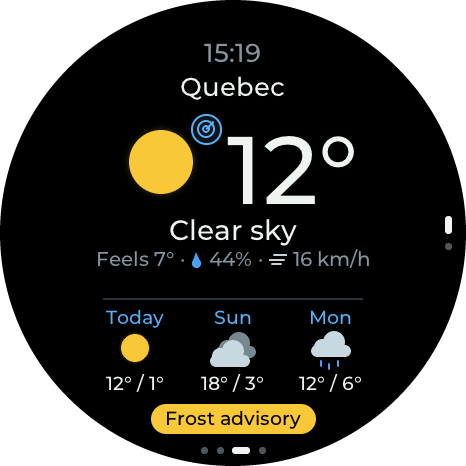 Main screen
Forecast and places
Time, temperature and conditions, rain or snow starting or stopping within 2 hours, and 3 days ahead. Up to 4 places: drag up or down to switch. Environment Canada alerts show in a pill at the bottom: tap it for details. Tap the weather icon for the radar.
-
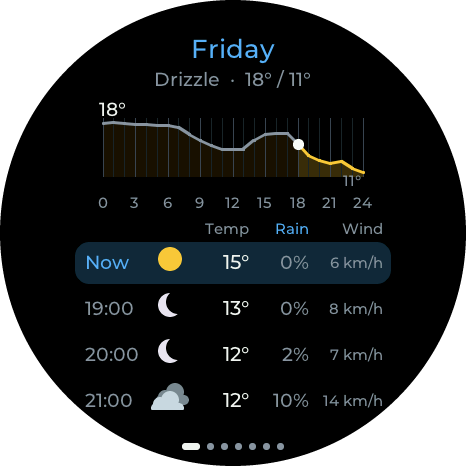 Tap a day
Hourly view
7 days, each with a temperature graph and one row per hour: temperature, chance of rain and wind. Drag sideways to change day.
-
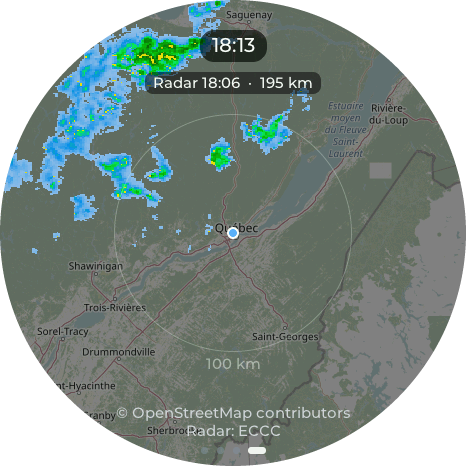 Tap the weather icon
Rain radar with lightning
Environment Canada radar on an OpenStreetMap map, with lightning from the last 10 minutes. Tap to play the last 3 hours; swipe down or up to zoom.
-
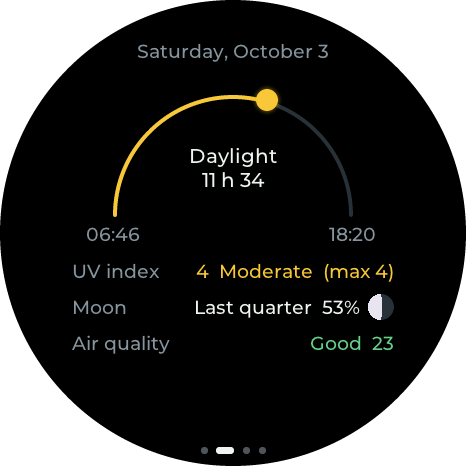 Swipe right
Sun, UV, moon and air
The sun's arc from sunrise to sunset, the UV index now and today's high, the moon phase, and the air quality.
-
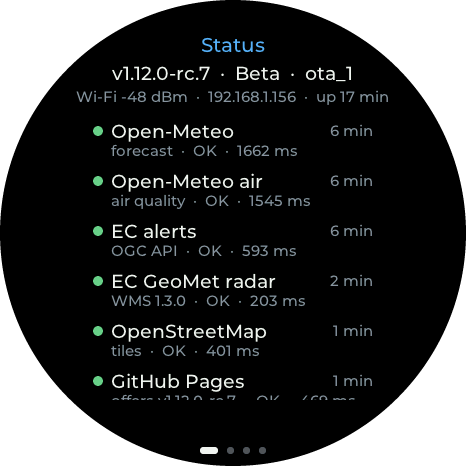 Swipe right twice
Status page
Firmware version, Wi-Fi signal, and every online service the display uses: when it last answered, and how fast.
-
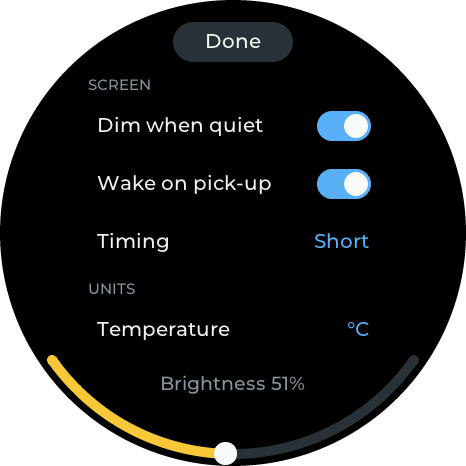 Long-press
Settings on the display
Dimming, wake on pick-up, brightness, units and language. Location, places and bus stops are set on your phone, from a QR code.
-
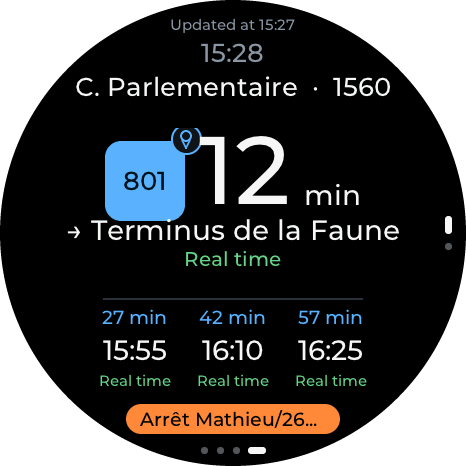 Swipe left
Your bus stops
Next departures for your RTC stops, real time when available. One page per stop (up to 8): drag up or down between them. Route notices show in an orange pill at the bottom.
-
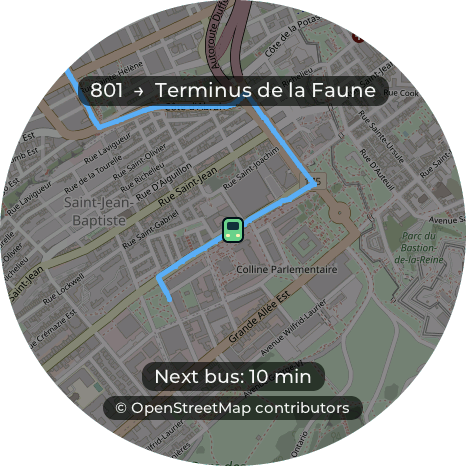 Tap the route badge
Bus map
The stop, the route's path and its buses on the way. Swipe down or up to zoom, sideways to go back.
The rain radar uses Environment Canada data, so it covers Canada and the northern US border region. Buses: Québec City's RTC only.
In three languages
The display and its phone settings page speak English, French or Inuktitut.
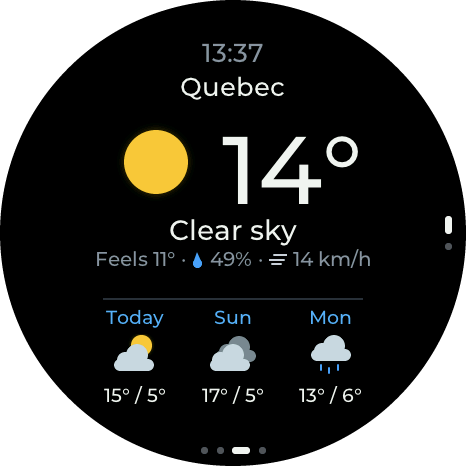
English 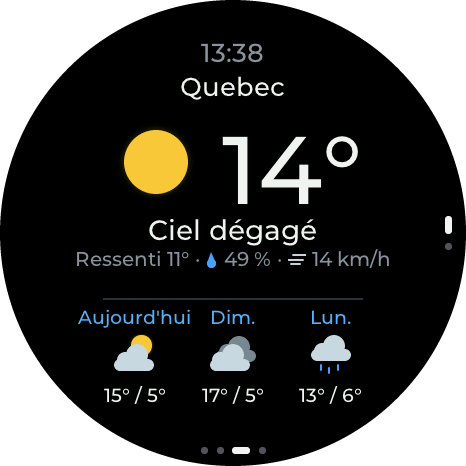
FrançaisFrench (Canada) 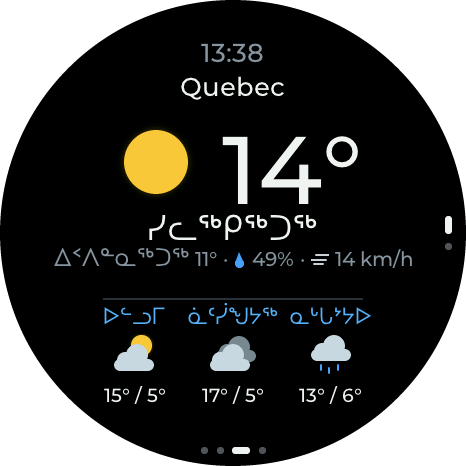
ᐃᓄᒃᑎᑐᑦInuktitut Draft
Switch the language in the Language row of the display's Settings screen (long-press the weather screen), or in the Units card of the phone settings page. The Inuktitut text is a first draft that a fluent speaker hasn't reviewed yet: corrections are welcome.
Using it
-
Tap a forecast day for its hourly view; drag sideways for other days.
-
Tap the weather icon for the radar; tap to animate the last 3 hours, swipe down or up to zoom, sideways to go back.
-
Long-press for Settings: screen dimming, units, Wi-Fi, and the QR code for the phone page (location and bus stops).
-
The microphones dim the screen when the room is quiet and wake it on sustained sound.
-
Swipe left from the weather for your bus stops; drag up or down between stops, and tap the route badge for the bus map.